
Urban Reload server maintenance can interrupt a match, erase momentum, and leave players wondering what changed. This guide explains the open beta, highlights reported bug fixes, and shows how to track the next update and new content without relying on rumors.
Urban Reload Server Maintenance and Open Beta Status
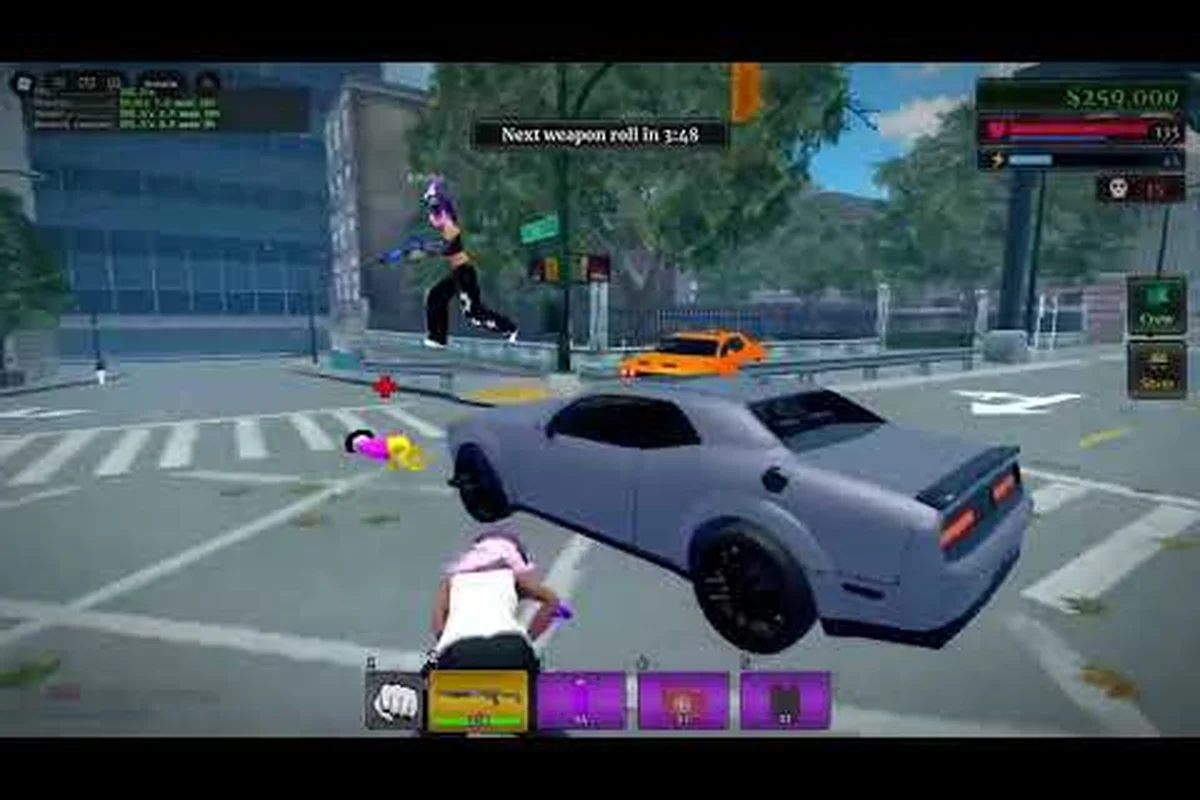
Urban Reload server maintenance matters because temporary downtime can affect matchmaking, save access, and progress from a session. The current information comes from the open beta period, with the developer’s public X account serving as the clearest first-party source for announcements. Community recordings also show how the build feels during normal play, although they should not be treated as confirmation of server-side changes.
The open beta provides the best window for identifying recurring problems. Players can compare behavior across several sessions, record error messages, and distinguish a limited beta issue from a persistent gameplay bug. The useful question is not simply whether the game works, but whether a failure appears consistently across accounts, matches, and repeated attempts.
| Information source | What it can confirm | Reliability for maintenance details |
|---|---|---|
| Developer X account | Announcements, downtime notices, community messages | High for official posts |
| In-game observations | Current behavior and visible problems | High for session-specific evidence |
| Player reports | Reproducible symptoms and affected situations | Moderate until independently confirmed |
| Community videos | How a particular beta build performs | Moderate; may show only one session |
What the Open Beta Changes
The Urban Reload open beta is an early-access testing phase, so its purpose is not simply to announce features. It reveals friction in movement, combat, objectives, progression, and online services. A beta update may also alter balance or interface behavior, meaning that advice based on an earlier build can become outdated after a patch.
Official announcements and community observations should therefore be read together. The developer account, @7suitchi on X, can confirm that a message belongs to the development team, while player reports reveal whether a visible change is actually affecting gameplay. This distinction is especially important during maintenance, because a temporary queue or disconnected state may not represent a new patch feature.
A Simple Evidence Log
Players can avoid uncertainty by keeping a brief maintenance log. Record the exact time, platform, match type, and whether an error appears before, during, or after the problem. This turns a vague complaint into evidence that can be compared with official notices or another player’s report.
-
Capture the first error message rather than only the final screen.
-
Note whether the issue happens in one map, one mode, or every activity.
-
Restart the client once, because connection state can mask the original cause.
-
Compare with community reports before assuming that a patch introduced the issue.
-
Save screenshots without including private account information.
A clear log makes it easier to determine whether Urban Reload server maintenance has actually ended. For example, if matchmaking still returns “server unavailable” 20 minutes after the official maintenance notice, while the first recorded error was a timeout, the log can separate a completed backend restart from a persistent connection issue. Matching the timestamp and platform against an official beta update or patch announcement also helps identify whether a problem is covered by the listed Urban Reload bug fixes, rather than assuming every post-update error is a new fault.
Tracking Urban Reload Bug Fixes and Patch Changes
Urban Reload bug fixes should be separated into three categories: server availability, gameplay corrections, and technical defects that interrupt the experience. Availability issues usually affect joining or staying connected. Gameplay corrections change how a mechanic behaves, while technical defects involve missing information, broken interface elements, or failures during progression.
This classification keeps a minor visual correction distinct from a full Urban Reload server maintenance restart. For example, a misaligned objective prompt or incorrectly positioned HUD element is a client defect that can be documented with a screenshot, whereas failed matchmaking or repeated disconnects point to server availability and require a clean restart. The distinction helps players decide when to wait for a server-side resolution and when to report a reproducible issue with a recorded clip, timestamp, and recent Urban Reload beta update history.
| Problem category | Typical symptom | Best player action | Likely resolution path |
|---|---|---|---|
| Server availability | Long queue, disconnect, failed join | Record time and retry after a clean restart | Developer downtime notice or server-side repair |
| Gameplay correction | Unexpected damage, objective, or control behavior | Note the exact sequence and game state | Beta balance adjustment or patch note |
| Client defect | Broken interface, missing prompt, failed action | Capture evidence and check recent changes | Client hotfix or later beta update |
| Progression defect | Reward or task state appears incorrect | Avoid repeating purchases and preserve receipts | Account review or delayed repair |
| Performance issue | Stutter, lag, or unstable frame rate | Compare network and hardware conditions | Optimization pass or platform-specific fix |
Reading Community Reports Accurately
Player reports are useful because they can identify a reproducible problem before a formal patch summary appears. However, a report does not prove that every instance has the same cause. Two players may describe a disconnect while one experienced a server restart and the other encountered a local connection failure.
Community videos are especially useful for showing the beta build in context. In SKI’s Urban Reload beta gameplay, the footage runs for 7 minutes and 55 seconds, offering a closer view of early gameplay. Because this is player experience rather than official patch documentation, it should be used to compare visible behavior, not to infer the contents of an unreleased update.
Confirming a Fix
A bug is fixed only when the original sequence can be repeated without the error. Simply rejoining after an announcement may work because the server state changed, but that does not demonstrate that the underlying defect was repaired. Test the smallest reliable sequence that caused the issue before moving on to longer sessions.
| Verification stage | What to check | Evidence to keep |
|---|---|---|
| Immediate retest | Original action that triggered the issue | Error text and outcome |
| Second attempt | Repeat under the same conditions | Consistency of the result |
| Adjacent feature | Check related menu, objective, or action | New or missing behavior |
| Normal session | Join and complete a short activity | Overall stability |
| Later confirmation | Compare with official patch summary | Confirmed change reference |
This process turns a hopeful “it works now” into a clear conclusion that helps the entire community avoid repeat reports. For example, if an urban reload bug fix is confirmed only after one successful rejoin, maintainers should still record the original action, the second-attempt result, and whether a short normal session remains stable; otherwise, the open beta status and eventual urban reload beta update may be mistaken for a permanent repair. A precise conclusion also gives players a clear point to reference when checking when the next update arrives, while distinguishing an unresolved urban reload server maintenance issue from a confirmed new-content deployment.
Knowing When the Next Urban Reload Update Arrives
The question of when the next Urban Reload update will arrive cannot be answered with a confirmed date from the available sources. The developer account is known for launch and community messages, while the beta videos capture individual experiences, but the supplied information does not include a published maintenance calendar or guaranteed patch date.
The safest approach is to watch the developer’s public channels and distinguish announcements from speculation. A statement that beta feedback is being reviewed is not equivalent to a scheduled restart. Likewise, a community member asking about the next update is not a release confirmation.
Announcement Signals
Use the table below to evaluate a post before treating it as confirmation. For example, an official “Beta update is live” notice confirms a new build, while “Fixes are being deployed” indicates an active server-side deployment; by contrast, a community prediction about the next Urban Reload update is only a low-confidence lead. When checking when the next update may arrive, check the timestamp and timezone of the announcement, because an older patch note can otherwise be mistaken for current Urban Reload server maintenance news.
| Signal | Interpretation | Confidence |
|---|---|---|
| Explicit date and time | Maintenance or restart is scheduled | High |
| “Servers will be offline for…” | Downtime window is confirmed | High |
| “Fixes are being deployed” | A server-side deployment is underway | Moderate to high |
| “Beta update is live” | A new build is available | High |
| “We are reviewing reports” | Work is known, but timing is unresolved | Low |
| Unverified community prediction | Possible schedule without confirmation | Very low |
Treat the official Urban Reload account as the primary reference for server maintenance, bug fixes, and open beta updates, but use community channels as an early-warning system. If several players report matchmaking failures, missing Urban Reload new content, or an inability to enter the open beta, a restart becomes more plausible—even without a confirmed schedule. Conversely, an “Urban Reload beta update” post with an explicit date and time is high-confidence evidence, while a community prediction about when is the next update is only a very low-confidence lead. No estimate should be treated as fact unless it comes from an official post.
What to Do Before a Maintenance Window
Players can reduce disruption by completing short sessions, checking objectives, and confirming that important progress appears correctly before leaving. Close background downloads and unnecessary applications if local bandwidth or system resources are affecting performance. Keep the game client current, because an outdated client may fail to connect even after server work is complete.
-
Save screenshots of mission progress that you do not want to risk losing.
-
Pause major purchases or irreversible choices during unstable sessions.
-
Keep a clean restart routine: close, wait, reopen, and reconnect.
-
Avoid repeated login attempts that could deepen a local queue issue.
-
Record the exact maintenance notice so you can compare it with patch notes.
A broader overview of planned content and the update schedule can help organize follow-up checks, but it should complement official announcements rather than replace them. For example, if the schedule lists an upcoming Urban Reload open beta update, compare that entry with the maintenance notice for the confirmed start time, affected features, and patch-note version. An earlier project date may still shift because a beta update can alter deployment timing, so treat the official server announcement as the authoritative source when the overview and in-game notice disagree.
What Urban Reload New Content May Include
Urban Reload new content during the beta may involve more than new weapons or maps. A meaningful content update can add objectives, adjust progression, refine the interface, or change how existing systems interact. Without an official item list, players should avoid treating community guesses as confirmed features.
The available beta footage shows the game being played during early sessions, which helps establish a baseline. ShenZhenFPS’s Beta Day 01 recording runs for 1 minute and 34 seconds and provides a short community snapshot. Its value is comparative: if a later update introduces a changed menu or mechanic, this earlier footage can make the difference easier to notice.
| Possible update area | What players may observe | Verification standard |
|---|---|---|
| New weapons | New handling, damage, or availability | Confirmed in patch notes or official post |
| New vehicles | Added locations, handling, or spawn behavior | Seen across a consistent session |
| Map changes | New routes, objectives, or altered access | Reproduced in normal gameplay |
| Progression changes | Revised tasks, rewards, or unlock flow | Displayed in the game or official summary |
| Interface refinements | Clearer prompts, maps, or status feedback | Consistent after restarting client |
| Bug fixes | Corrected behavior in a known area | Original failure no longer reproduces |
For a more focused view of seasonal additions and feature changes, our Urban Reload content drop overview can serve as a comparison point once official information appears. During the open beta, that comparison is most useful for tracking whether proposed map changes, progression rewards, or interface refinements have moved from unverified community expectations into the live Urban Reload build. Patch notes, in-game changes, or an official post would provide firmer confirmation than early footage, helping separate genuine Urban Reload beta update features from speculation about the next server maintenance window.
Establishing a Personal Baseline
Players who want to detect changes should record a small set of details before an update. Note the first route completed, the first weapon used, how objectives are displayed, and how long the first match takes. This baseline is more valuable than a long list of impressions because it creates concrete points of comparison.
Community feedback can then be organized into separate columns for confirmed notes, likely changes, and unverified suggestions. That simple structure reduces the chance that an early rumor becomes accepted as fact, which is especially important when the Urban Reload beta update is still being evaluated by players.
A Practical Urban Reload Maintenance Readiness Checklist
Being ready for maintenance takes only a few deliberate actions. The main goal is to preserve access to the game and make any later problem easier to diagnose. A short checklist is more effective than repeatedly restarting the client or deleting local files without a clear reason.
| Timing | Player action | Reason |
|---|---|---|
| One day before | Confirm the latest official notice | Learn the reported window and expected changes |
| Before leaving | Complete a short objective and verify progress | Reduce ambiguity if progress appears missing |
| Before closing | Capture important screens and note errors | Preserve evidence without exposing private data |
| During downtime | Stop repeated connection attempts | Avoid unnecessary local queue buildup |
| After maintenance | Restart fully and retest the original issue | Confirm whether the repair resolved it |
| After the fix | Report remaining reproduction steps | Help distinguish an unresolved defect |
Before, During, and After the Restart
Before a scheduled restart, make sure the client is closed rather than minimized and avoid starting a long activity immediately before the window. During downtime, use the official announcement as the status reference. If the stated end time passes, allow a short interval for servers to finish deploying before attempting another connection.
After the restart, test the exact activity that previously failed. Then check a second activity, such as an objective or lobby interaction, because one successful join does not validate every service. If an issue remains, include the time, game mode, error text, and reproducible steps in the report.
When to Wait and When to Report
Wait when the problem matches the official maintenance scope, especially if the server is still finishing deployment. Report when the original sequence continues after the stated end time, a new error appears, or the issue survives a clean client restart. A precise report gives the developer more usable information than a general claim that the server is down.
| Situation | Recommended response |
|---|---|
| Official downtime is active | Wait for the published end time |
| Downtime ended, but queues persist | Retry after a full restart, then check reports |
| Same error occurs every attempt | Save evidence and submit a reproduction report |
| Progress appears missing | Verify recent actions before retrying or repeating them |
| New content appears before its announcement | Record the build behavior and await confirmation |
The official developer account remains the best place to confirm whether an Urban Reload pause is planned maintenance, an open beta update, or an unexpected server outage. If the post matches the current urban reload server maintenance scope, note the published start and end times and wait; if the same queue or error continues after that window, include the time, platform, and exact error text in your report. These checks make player reports more useful because they separate a temporary deployment issue from a persistent bug or connection problem.
Frequently Asked Questions
How long does Urban Reload server maintenance usually last?
No fixed duration is confirmed in the available sources. The duration can depend on the scale of the work, deployment, and unexpected complications. Players should follow the developer’s stated end time, wait briefly after it passes, and then restart the client before attempting a longer session or recording a remaining issue.
Did the latest Urban Reload beta update fix every reported bug?
No. A beta update can improve specific problems while other reports remain under review or await reproduction. Confirm a fix by repeating the original sequence under similar conditions, and compare your result with official patch information. A successful connection alone does not prove that every related gameplay defect has been resolved.
Where can players check Urban Reload when is the next update scheduled?
The developer’s public X account is the most authoritative available source for exact dates and maintenance notices. Community channels can provide early warnings, but predictions are not release confirmations. Players should look for an explicit time, a confirmed deployment message, or a statement that a beta update is live before treating a schedule as official.
Will maintenance remove access to existing Urban Reload new content?
There is no supplied evidence that maintenance permanently removes content. Temporary menu or access issues may occur while servers are being deployed, but a short outage by itself does not indicate that progression, rewards, or unlocked items have been erased. Verify account state after a clean restart and save evidence if anything appears missing.
Should players report every error during the Urban Reload open beta?
Report errors that are reproducible, clearly visible, and not already explained by an active maintenance notice. Include the exact time, mode, error text, and steps used to trigger the problem. During confirmed downtime, waiting is usually more useful than sending multiple duplicate reports for the same expected interruption.